How to Count Words Online for Free (No Login Required)
- Words Counter Tool
- Feb 1
- 3 min read

Updated: Apr 19
In 2026, the online world is always speeding up. Whether you are a student trying to meet a midnight deadline, a freelancer charging a client by the word, or a social media manager trying to write the perfect tweet, you don’t have time for speed bumps.
One of the biggest "productivity killers" in today’s world is the sign-up requirement. We all know the problem: you find a service that seems absolutely right, only to be derailed by a "Create an Account" box. This not only wastes time, but it also raises questions about who is copying your text.
In this tutorial, we will demonstrate how to use a free online word counter without having to sign up. This is the quickest and safest way to obtain the information you need and return to your artistic pursuits.
Why Use a “No Login” Word Counter?
Before we get into the “how-to,” let’s examine why bypassing the registration process is actually a smart move for writers in 2026.
Ultimate Privacy: Without logging in, your writing isn’t associated with an email address or a personal account. For confidential writing, this is a crucial element of security.
Instant Results: You avoid the 2-3 minutes it takes to confirm an email or link a social media account. In a world of tight deadlines, every minute counts.
Zero Spam: Without an account, there’s no “weekly newsletters” or “special offers” to clutter your inbox.
Device Flexibility: Whether it’s a borrowed laptop, a library computer, or your own phone, you can use the tool right away without having to remember any passwords.
Step-by-Step Tutorial: How to Calculate the Number of Words in Seconds
Using our word counter tool is meant to be as easy as possible. Even if you are not "tech-savvy," you can learn this in less than a minute. Here is the easy-to-follow tutorial:
Step 1: Get Your Text Ready
Open the document or webpage where your text is currently written. This could be a Word document, Google Doc, email draft, or even a PDF file.
Step 2: Copy the Text
Highlight the text you want to calculate.
Pro Tip: On a PC, press Ctrl + A to select all and Ctrl + C to copy. On a Mac, press Cmd + A and Cmd + C.
Step 3: Paste into the Tool
Go to the [Word Counter Tool] and click inside the big empty text box.
Action: Press Ctrl + V (PC) or Cmd + V (Mac) to paste your text.

Step 4: See Your Results Instantly
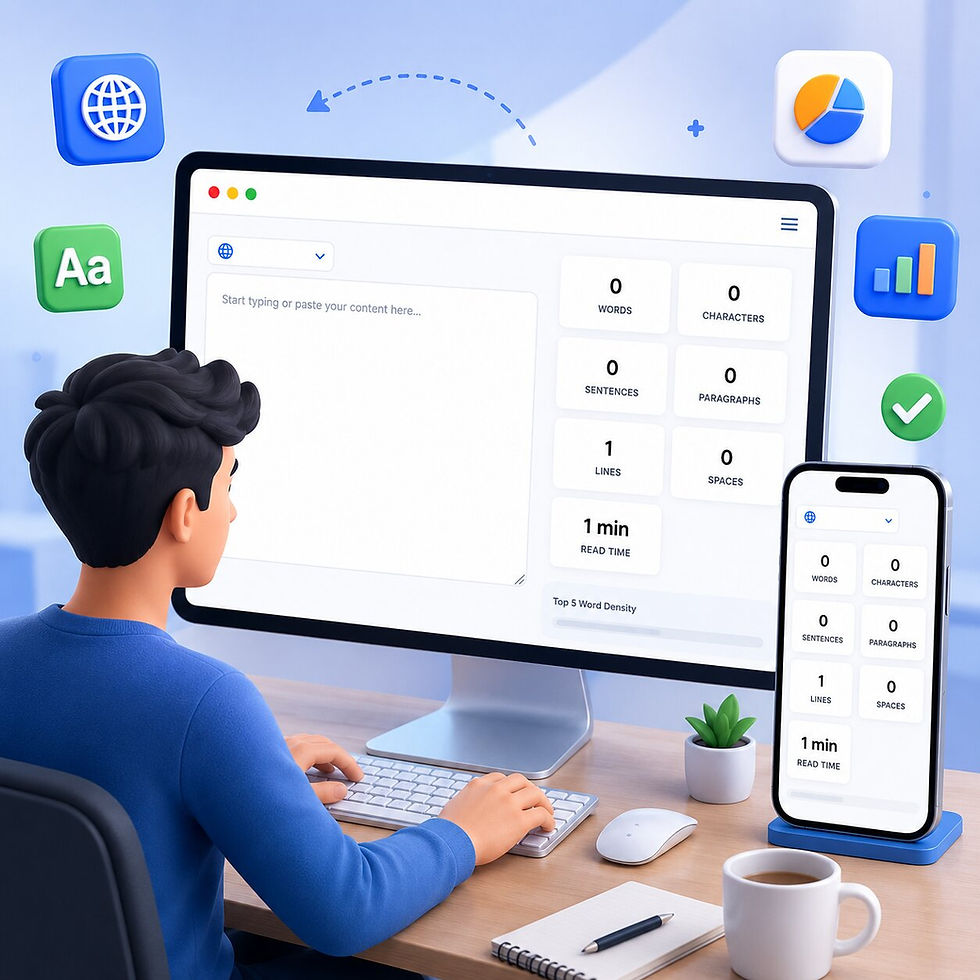
As soon as you paste the text, the tool gets to work. You don't even have to click a "Submit" button. Check the dashboard area (usually at the top or side) to see:
Word Count: The total number of words.
Character Count: Total letters, numbers, and spaces (perfect for social media limits).
Sentence & Paragraph Count: Great for checking the structure of your essay or blog.
Understanding the Metrics: What Do They Mean?
A good word counter in 2026 is more than just a number; it is a "health check" for your writing. Here is what you should see:
Character Count (With vs. Without Spaces)
If you are writing a meta description for SEO or a bio for a social media site, "Characters with Spaces" is your most important number, as spaces are counted as "slots" by the site.
Reading Time
This number will tell you how long it will take a visitor to read your content. If you are writing a blog post, you want the reading time to be in line with your audience's intent. A "how-to" guide may be 5 minutes, while a news update should be under 2 minutes.
Keyword Density
Our word counter will tell you which words are used most. This is a godsend for avoiding "repetitive writing." If the word "basically" is used 15 times in a 500-word essay, it is time to hit the delete key!
Frequently Asked Questions (Beginner Friendly)
Q: Does the tool save my text?
No. Since there is no login, your text is processed in your browser session. Once you close the tab, the data is erased. Your privacy is our priority.
Q: Can I count words in different languages?
Yes! The algorithm is able to detect spaces and punctuation marks for most major languages, such as English, Spanish, French, and many more.
Q: Is there a limit to how much text I can paste?
Most users can paste up to 10,000 words without any lag. For very long manuscripts (such as a novel), we recommend pasting chapter by chapter for the best experience.
Final Thoughts for 2026 Writers
Writing is hard enough—tracking your progress shouldn’t be. By using a free, no-login word counter, you remove the friction between your thoughts and the finished product. It’s about more than just reaching a number; it’s about making sure your message is the right length for your audience.


Comments